If you’re trying to launch your first Amazon FBA product or scale without burning cash on subscriptions, you need data you can trust. The best free Amazon product research tools help you spot demand, check competition, and calculate profit before you spend a dime on inventory.
You don’t need a $300/month suite on day one. You need clarity. In this guide, you get 15 tools that cost nothing to start, plus how to combine them with Amazon’s native features so you can validate ideas fast.
We focus on free Amazon FBA product research tools for beginners, free access tiers, and Chrome extensions that show real-time data right on Amazon’s page. You’ll see which free Amazon tools are enough for your first product launch and which ones hit limits fast.
Quick note on updates: The market shifts fast. This covers the best free Amazon product research tools for FBA sellers right now and free AI product research tools for Amazon sellers you can use today.
How To Use Free Tools Like a Pro Seller?
Before you install anything, map your workflow. You want to answer five questions:
- Is there demand?
- Can you compete?
- Will you make money?
- Is the niche growing or dying?
- Are reviews showing a gap you can fill?
You mix tools to cover each one. Use Amazon Opportunity Explorer for native demand data. Check sales with Jungle Scout’s free estimator. Validate price history with CamelCamelCamel or Keepa. Analyze reviews with Helium 10’s free Review Insights. Then run profit numbers with a free Amazon product profit calculator for FBA and FBM.
1. Amazon Opportunity Explorer
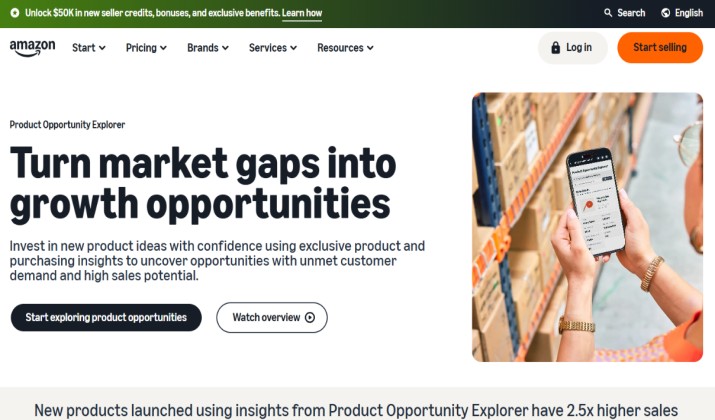
Best known as: Native tool for demand and competition
Amazon gives you free demand data inside Seller Central. Opportunity Explorer shows search volume trends, top clicked products, customer review themes, and competition levels by niche.
What you get:
- Search volume and growth over time
- Conversion share of top products
- Review sentiment and common complaints
- Price ranges that convert
Why you want it: It’s straight from Amazon. No estimates. You use it to shortlist niches before opening any third‑party tool.
Pricing: Free with a Seller Central account.
Link: Access inside Seller Central > Growth > Opportunity Explorer
2. Helium 10
 Best known for: X‑Ray, Review Insights, keyword tools with limited credits
Helium 10 is the heavyweight, and its free plan still packs a punch for beginners. You get metered access to Black Box, 2 Cerebro uses per day, and Magnet with 50 keyword picks per month. The Chrome Extension is the real win here.
Free features you’ll use most:
- Xray: See revenue, sales, and BSR on any Amazon search results page
- Review Insights: Scan top reviews to find product flaws you can fix
- Sales Estimator: Check monthly units from BSR
- Profitability Calculator: A free Amazon product profit calculator for FBA and FBM
- Keyword tools: Limited Magnet and Cerebro credits for free Amazon keyword research tools and search‑volume estimators
Limits: Black Box at 20 product searches per month. Cerebro at 2 uses per day with up to 20 keywords each.
Helium 10 pricing: The pricing ranges from a limited Free plan to monthly tiers starting at $99/month.
- Free Plan ($0): Limited access to basic tools, such as the Helium 10 Chrome Extension and 2 daily uses for keyword tools like Magnet.
- Platinum Plan ($99/month if paid annually, or $129/month if paid monthly): Full access to core product and keyword research tools, suitable for growing sellers.
- Diamond Plan ($279/month is paid annually, or $359/month if paid monthly): Advanced analytics, AI-driven insights, and automation, ideal for established brands and agencies.
- Enterprise Plan (Custom): Starts at roughly $1,499/mo for large teams and high-volume operations
Get it here: Chrome Web Store | Play Store
Also read: How to Compare Products on Amazon?
3. Jungle Scout
Best known as: Free sales estimator for checking demand and monthly units
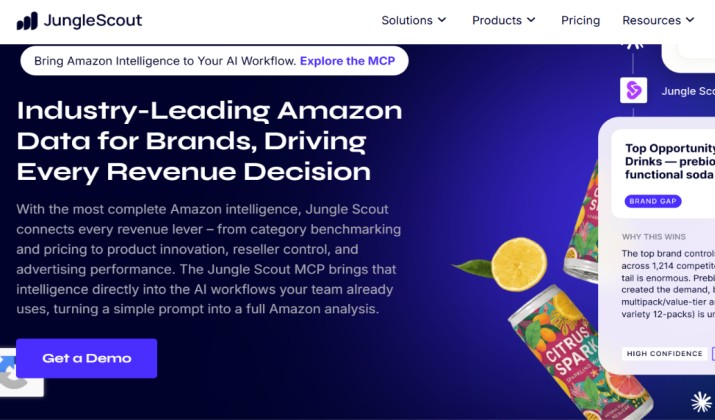
Jungle Scout’s free sales estimator takes a BSR and category and gives you monthly unit sales. It’s quick and surprisingly close for a no‑cost tool.
What you get:
- Paste an ASIN or BSR to estimate monthly sales
- Works for all major Amazon categories
- No account needed
Limits: No price history, no keyword data, no competitor analytics. You pair it with CamelCamelCamel or Keepa to check if sales are stable.
Jungle Scout pricing: Jungle Scout offers three primary membership tiers. Monthly rates range from $49 to $399, but you can save up to 40% by paying annually. Every plan includes a 7-day money-back guarantee.
Get it here: Chrome Extension
4. AMZScout
Best known for: Free tools and browser extensions for product and niche validation
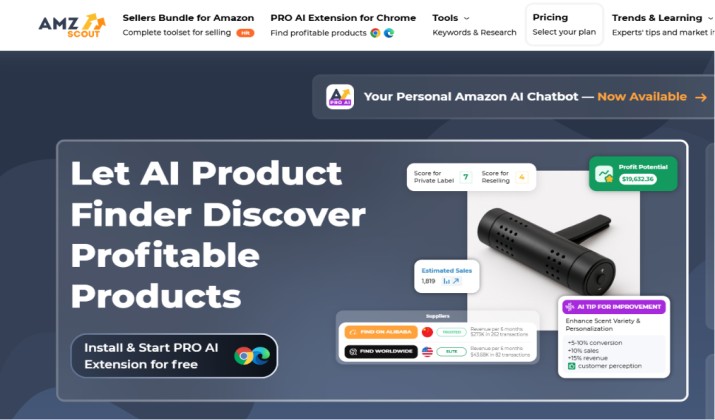
AMZScout offers a slice of its database free, plus a Chrome extension with limited use. You can view price trends, approximate monthly sales, and basic competitor insights.
Free features:
- Product Database: Limited searches to spot niches
- PRO Extension: Shows sales, revenue, FBA fees on Amazon pages
- Niche Score: Rates demand vs competition
You test the workflow free, then decide if the paid upgrade makes sense.
AMZScout pricing: AMZScout offers tiered pricing depending on the length of your subscription, with options ranging from monthly to yearly plans. They also offer separate premium “Booster Packs” for private labelers and resellers.
- Monthly Plan: Usually costs about $59 per month.3-Month Plan: Costs approximately $150 for full access over three months.
- Yearly Plan: Costs $399 and frequently includes additional months (up to 15 months total) plus bonus training.
- Add-ons: Specialized “Booster Packs” (for Private Label or Reselling) often cost around $999 per year each, or $30 per 3 months.
Limits: You hit search caps fast. Advanced filters and review analysis sit behind paid plans.
Get it here: Chrome Extension
Read this too: AMZScout vs Jungle Scout
5. CamelCamelCamel
Best known as: free Amazon price‑history and sales‑trend tracker
CamelCamelCamel tracks price history for millions of Amazon products at no cost. It won’t analyze keywords or BSR in detail, but if you want to understand long‑term cost variations, it’s a reliable free resource.
What you get:
- Historical price charts for Amazon and 3P sellers
- Price drop alerts
- Sales rank history on some items
Why sellers use it: You check if a product’s price tanks during Q4 or Prime Day. That impacts your margin. You also spot hijackers who crash prices. Pair with a free Amazon product profit calculator to model real margins.
Pricing: Free
Get it here: Chrome extension | Microsoft Edge | Mozilla Firefox | Opera | App Store
6. Keepa
Best known as: Free or freemium Amazon price and BSR tracking charts
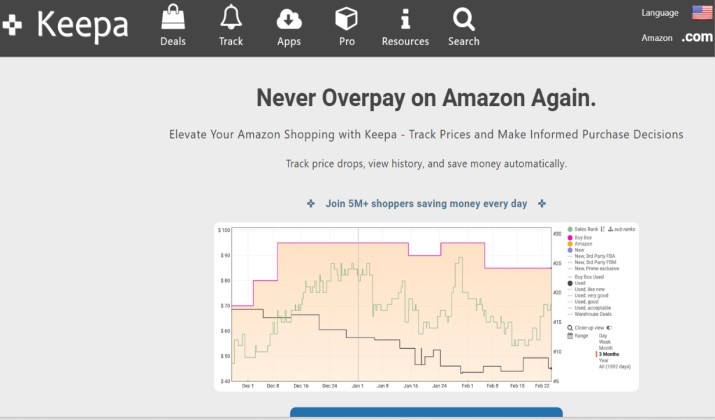
Keepa does price and BSR tracking with more data than CamelCamelCamel. The free plan shows basic charts on product pages via its Chrome extension.
Free features:
- Price history for Amazon + new/used 3P
- Sales rank chart to gauge velocity
- Buy Box price tracking
Paid adds: Data export, alerts, deals. But the free charts are enough to validate Amazon product ideas with free tools before paying for Helium 10 or Jungle Scout.
Keepa pricing: Keepa has a free tier and a monthly premium plan. The premium plan costs €19 per month. There are no long-term contracts. You can pay yearly for €189 per year.
Get it here: Play Store | App Store | Chrome Web Store
7. Sellerise
Best known as: Free Amazon product research Chrome extension for real‑time data, review insights, and listing analysis
Sellerise packs a lot into a free extension. You get real‑time data, review insights, and listing analysis right on Amazon.
Free features:
- Sales estimates, revenue, and BSR on search and product pages
- Review analysis: find common complaints in seconds
- Listing quality score: checks titles, bullets, images
- Keyword extraction from competitor listings
Why it matters: Free listing analysis and review‑insights tools for Amazon products help you find gaps. If every top listing gets 1‑star reviews for “broke after 2 weeks,” you know where to improve.
Sellerise pricing: Sellerise pricing uses a tiered, monthly subscription based on your order volume and the number of seller accounts you have. All plans include essential features like financial analytics, inventory tracking, and a free 7-day trial.
The main subscription tiers are:
- Starter: $19.99/month. Covers 1 unified seller account and up to 1,000 orders per month.
- Growing: $39.99/month. Covers 2 unified seller accounts with extended analytics features.
- Advanced: $99.99/month. Covers up to 5 unified seller accounts and up to 50,000 orders per month.
Get it here: Chrome Extension | Play Store | App Store
Another interesting read: Best Amazon Product Finder tools
8. AMZBase
Best known as: Free Amazon product research Chrome extension for rank, offers, and chart links
AMZBase is simple. It adds buttons under every Amazon product for rank, offers, and chart links to Keepa and CamelCamelCamel.
Free features:
- One‑click BSR, category, and dimensions
- Quick links to price history charts
- Shows number of sellers and Buy Box stats
Limits: No sales estimates. You use it with Jungle Scout’s estimator or Helium 10 Xray to complete the picture.
Pricing: Free
Get it here: Chrome Extension
9. Analyzer.Tools
Best known as: Free Amazon product research suite for budget‑conscious sellers
Analyzer.Tools gives you broader data points right away compared to Helium 10’s limited free version. It remains a top solution for in‑depth insights without paying.
Free features:
- Product database with sales, revenue, BSR
- Keyword research with search volume
- Competitor tracking
- Listing quality analyzer
Why it stands out: You get more unlocked features than most free access tiers of Helium 10, Jungle Scout sales estimator, AMZScout tools.
Pricing: Analyzer.Tools offers tiered pricing for its wholesale and arbitrage scanning web app Web App – Analyzer.Tools. Plans typically range from $19 to $69 per month, depending on the product volume and features you need.
Get it here: Web
10. Amazon Movers and Shakers
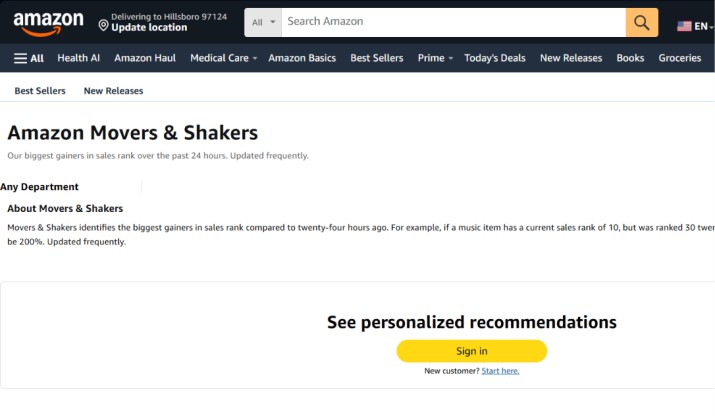
Best known for: Free trend spotting
You don’t need a tool for this. Amazon’s Movers and Shakers shows products with the biggest sales rank gains in the last 24 hours. Best Sellers shows top 100 by category.
How you use it:
- Pick your category in Movers and Shakers
- Check if the spike is seasonal or gimmick
- Run the ASIN through CamelCamelCamel to see if it’s sustainable
- Estimate sales with Jungle Scout’s free estimator
Pricing: Free. No login needed.
11. Exploding Topics
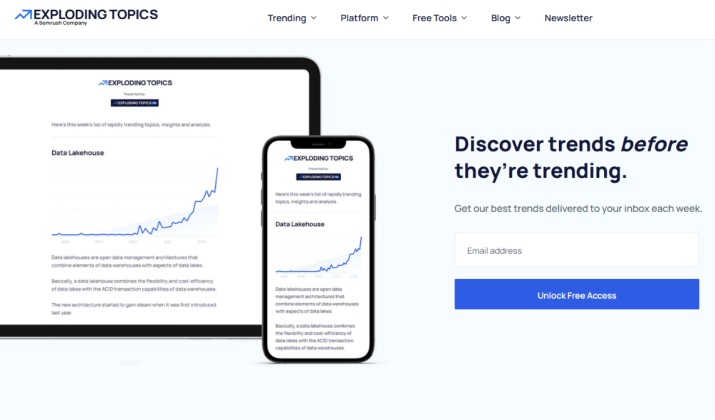
Best for: Free trends outside Amazon
Exploding Topics scans the web for rising trends before they hit Amazon. You spot underserved markets 6‑18 months early.
Free features:
- Trends database with growth metrics
- Categories like fitness, pets, home
- Search volume and TikTok views for topics
Why it works: You find trending products before the space becomes saturated. Then you validate on Amazon with free Amazon FBA product research tools.
Limits: CSV export and full database need Pro. But free is enough to brainstorm.
Exploding Topics pricing: Exploding Topics offers a Free Newsletter to track basic trends. For professional tools, Exploding Topics Pro has three paid plans billed either monthly or yearly.
- Investor: $99/mo (or $1,188/year). Best for small teams. Includes 500 tracked trends, trend forecasting, and 4 user seats.
- Business: $249/mo (or $2,988/year). Best for larger companies. Includes API access, custom reports, and 10 user seats.
All plans usually offer a 7-day or 14-day trial.
12. SellerApp
Best known as: Free tool for opportunity scores and BSR tracking
SellerApp offers free tools like a product opportunity score, BSR tracker, and keyword search. It uses AI‑powered scoring to rate niches.
Free features:
- Amazon Product Research Tool: Search by keyword, get sales, revenue, price
- Keyword Research: Search volume and competition
- BSR Tracker
SellerApp Pricing: SellerApp pricing is value-based, offering a free tier alongside paid monthly subscriptions. The SellerApp Pricing Plan is split into three main tiers:
- Freemium Plan ($0/month): Best for beginners. Includes basic product research, advertising overview, and limited keyword tracking.
- Pro Plan ($99/month): Best for growing sellers. Includes advanced keyword tracking, email support, and ad automation.
- Smart Plan with Automation: Priced at $149/month, this plan is designed for growing Amazon sellers who want to scale through AI-driven PPC and advertising automation. It builds on lower tiers by adding deep keyword tracking, advanced data analytics, and quarterly business reviews to optimize sales performance.
13. ProfitGuru
Best known as: Free AI product research tools for Amazon sellers who want a chat interface vs spreadsheets
ProfitGuru is a newer AI assistant that helps with product and market analysis. It’s free and built for quick answers.
What you do: Ask it questions like “show me low competition kitchen gadgets under $30 with 300+ sales/mo.” It pulls data and suggests options.
Pricing: Free
14. SmartScout
Best known as: Free tools for Amazon sellers who want market‑level context
SmartScout free tools include Traffic Graph demos, category snapshots, and free calculators on their blog.
The Traffic Graph visualizes how “frequently bought together” links ASINs. No other free tool shows that.
SmartScout Pricing: SmartScout offers four main pricing tiers. The costs below feature monthly and annual billing options:
- Basic: Priced at $29 per month (or ~$25/month when billed annually). This tier includes the product finding Chrome extension, brand/product databases, and a sales estimator.
- Essentials: Costs $97 per month (or ~$75/month when billed annually). This level unlocks seller databases, search term databases, and trend explorers.
- Business: Priced at $187 per month (or ~$158/month when billed annually). This provides deep access to subcategories, market share metrics, and brand reports.
- Enterprise: Custom pricing. This tier is custom-built for large agencies and brands with high data needs.
Get it here: Chrome extension
15. TikTok Creative Center

Best for: Free demand signals
Sales start with attention. TikTok Creative Center show you what people want right now, for free.
What can you expect:
- See top‑performing products and hashtags
- Filter by region and industry
- Spot viral sounds tied to products
How you use them: Find a trend, then check Amazon Opportunity Explorer for search volume. If demand exists and competition is weak, you found a gap. This is how to validate Amazon product ideas with free tools before paying for Helium 10 or Jungle Scout.
Pricing: Free
How Do You Do Amazon Product Research for Free Step by Step?
- Brainstorm trends: Use Exploding Topics or TikTok Creative Center. List 10 ideas.
- Check Amazon demand: Plug ideas into Opportunity Explorer. Kill anything with flat or declining search volume.
- Scan the SERP: Install Sellerise and Keepa. Look at top 10 results. Note revenue, BSR, review count, and price.
- Check sales: Take BSRs and run them through Jungle Scout’s estimator.
- Analyze reviews: Use Helium 10’s free Review Insights on the top 3 listings. List every 1‑2 star complaint.
- Track price history: Open CamelCamelCamel or Keepa charts. Avoid products with constant price wars.
- Calculate profit: Use Helium 10’s free profitability calculator. Include FBA fees, shipping, and 30% ad cost.
- Decide: If demand is rising, competition is under 500 reviews, price is stable, and profit is 25%+, you have a candidate.
That’s how to validate Amazon product ideas with free tools before paying for Helium 10 or Jungle Scout.
Which Tool Is Better if You Had To Pick One?
If you only install one extension today, pick Sellerise.
Why Sellerise wins: You get sales estimates, revenue, BSR, review insights, and listing analysis in one free Chrome extension. No daily credit limits like Helium 10 or narrow function like Jungle Scout’s estimator. It also doesn’t cap searches like AMZScout.
For a beginner with no budget, Sellerise plus Amazon’s native Opportunity Explorer covers 80% of what paid tools do. You add Keepa for historical charts and you’re set.
Helium 10’s free plan is powerful, but the limits frustrate you during deep research. AMZScout is solid but you hit the paywall fast. So Sellerise is the best free Amazon product research Chrome extension with real‑time data right now.
If you plan to upgrade later, Helium 10’s ecosystem is stronger. But for $0, Sellerise wins.